What is CueClip?
CueClip is a Mac app that records your screen and automatically edits the mistakes out: filler words, retakes, and dead air.
The short version
CueClip is a desktop app for macOS for people who record themselves talking: tutorials, courses, product demos, YouTube videos and team updates. You record (or drop in a video), CueClip transcribes it, and the editing you would normally do by hand happens automatically.
- Remove filler words like um, uh and you know
- Cut retakes, where you said the same thing more than once
- Shorten long pauses and dead air
- Add captions, auto-zoom and backgrounds
- Find the best moments for Shorts, Reels and TikTok
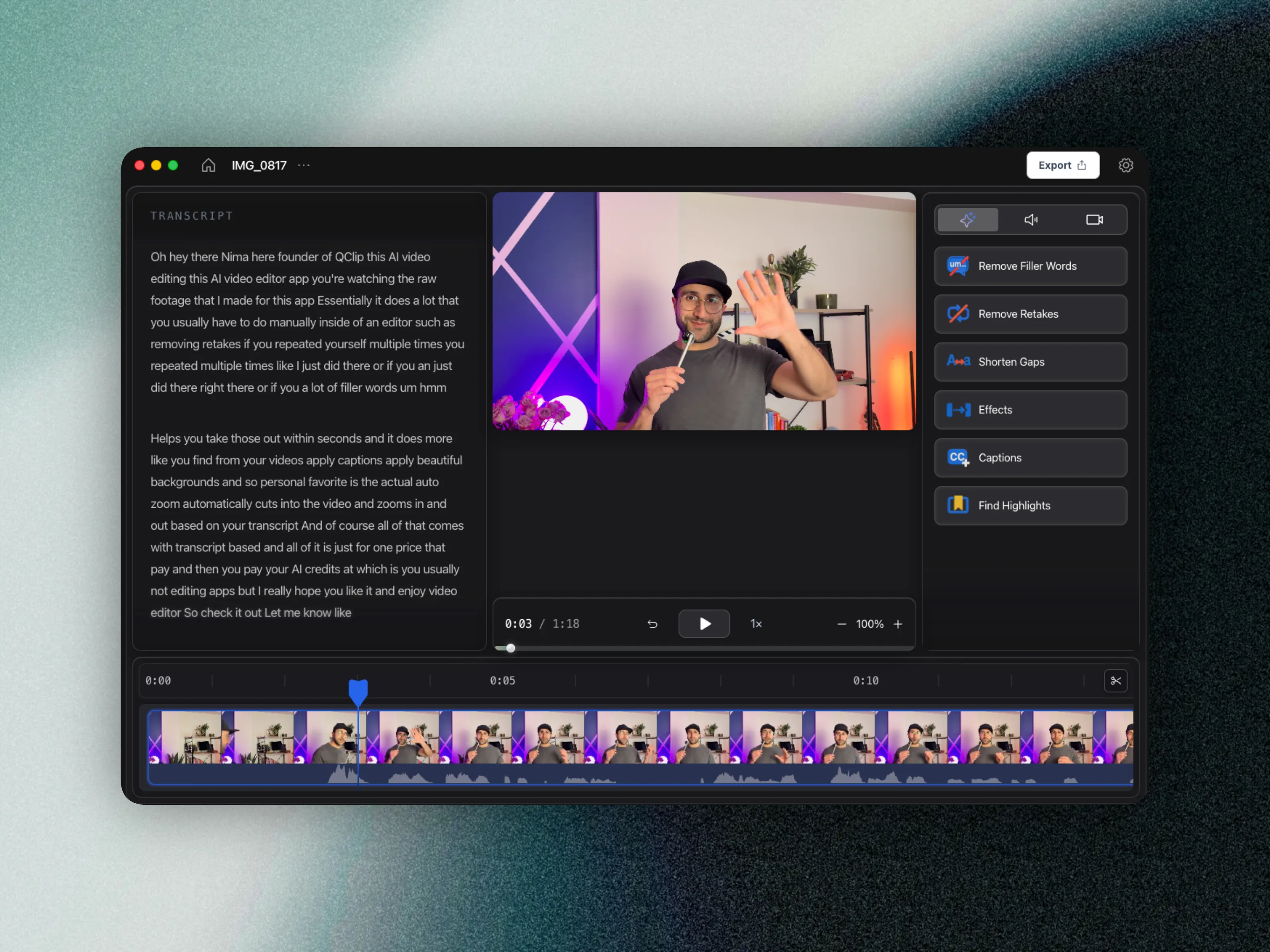
How the editor is laid out
| Area | What it does |
|---|---|
| Transcript (left) | Every word you said. Select text to delete it, and the video follows. |
| Preview (middle) | Playback, speed, and zoom of the preview. |
| Tools (right) | Remove Filler Words, Remove Retakes, Shorten Gaps, Effects, Captions, Find Highlights. |
| Timeline (bottom) | Your video blocks and waveform. Right-click a block to mute it or change its speed. |
| Export (top right) | Video, XML for another editor, or caption files. |
Your original footage is never changed. Cuts are edits on top of it, so you can always bring something back.
Questions
What does CueClip run on?
CueClip is a native macOS app. Windows is in progress.
Does CueClip change my original video?
No. Every cut is stored as an edit on top of the original file, and you can undo or restore it.