Cueclip

Great starts at 0:00

Features
Pricing
Download

Get started

  • What is CueClip?
  • Record your screen, camera and mic
  • Import a video you already recorded
  • Combine a screen recording and a camera recording

Auto-edit

  • Auto Edit: clean a video in one pass
  • Remove filler words (um, uh, like)
  • Shorten gaps and dead air
  • Remove retakes automatically
  • Retake cue words: mark bad takes out loud

Edit by hand

  • Edit your video by editing the transcript
  • Right-click to mute, speed up, split or delete
  • Fix names and terms with the Transcript Dictionary

Captions, zoom & sound

  • Add captions
  • Auto-zoom and manual zooms
  • Remove background noise and enhance your voice
  • Turn a long video into Shorts, Reels and TikToks

Export & share

  • Export your video
  • Export XML to Final Cut, Premiere or DaVinci Resolve
  • Export caption files (.srt and .vtt)
  • Share a video with a link

Account & AI

  • AI credits and bringing your own key

Help Center / Account & AI

AI credits and bringing your own key

How AI credits work, and how to connect your own OpenAI, Claude or Deepgram key to pay providers directly at cost.

Updated 2026-10-10

Credits

Transcription and AI analysis (finding retakes and highlights) use AI credits. About 1,000 credits cover one hour of video.

PlanPriceCredits
Lifetime license$149 one time30,000 once
Monthly$29 / month20,000, reset every billing cycle

Lifetime licenses include free updates for as long as you hold the license.

Use your own key

You can connect your own OpenAI, Claude or Deepgram key. AI usage is then billed by the provider at cost, with no markup from CueClip. Click the gear icon at the top right and choose Manage AI. There you can pick the Transcription model (for example Deepgram) and the Editing model (for example Claude Haiku), and paste your own OpenAI, Deepgram or Claude key.
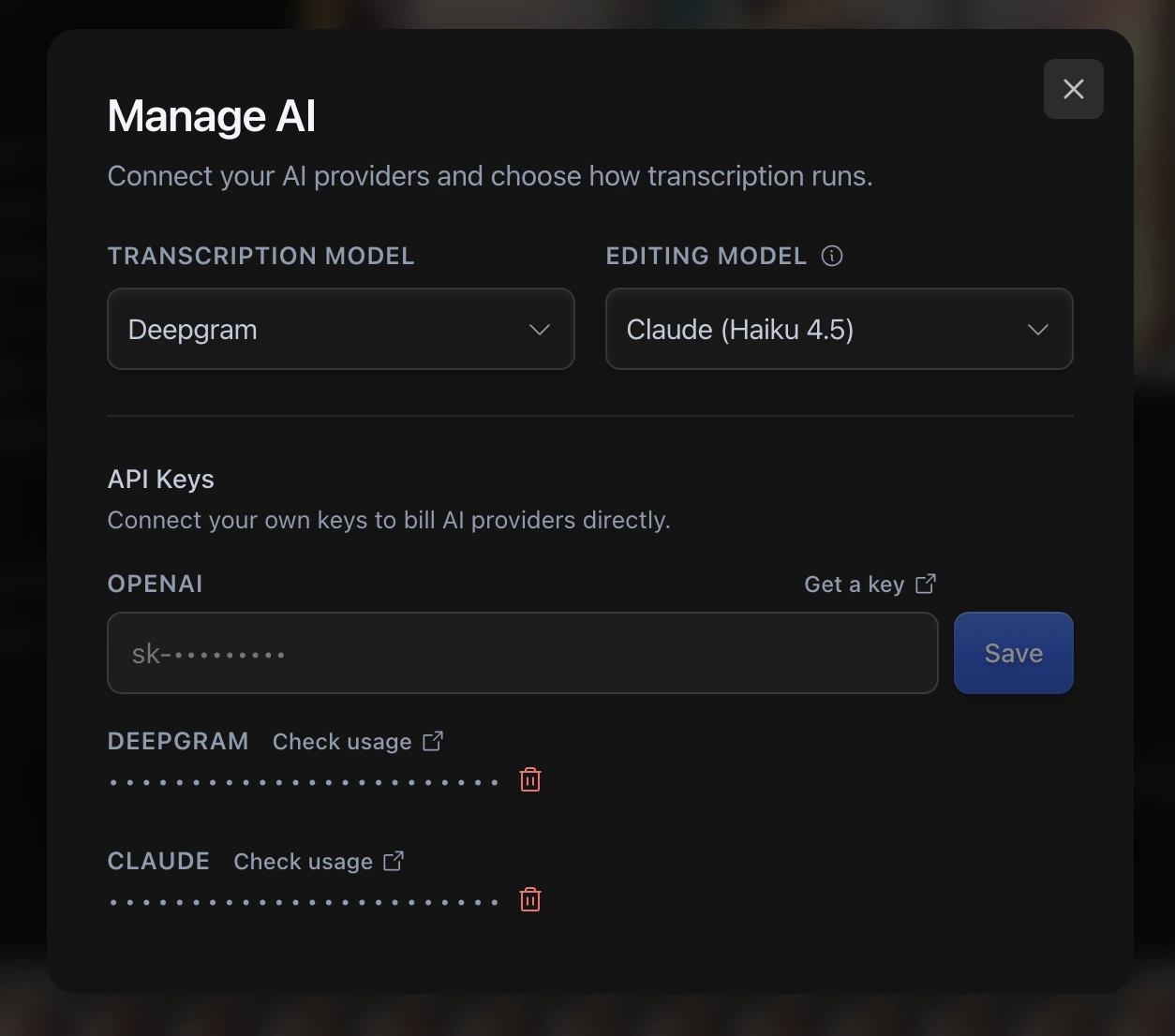
The Manage AI dialog

Keys are kept in your Mac's Keychain, not on CueClip's servers.

Questions

Am I charged twice if I re-run a video?

The same audio is not billed again when you reopen the app and re-run it.

Where do I get support?

Email support@cueclip.app.

Related

What is CueClip?

Still stuck? Email support@cueclip.app.

← Share a video with a link
0:00
0:10
0:20
0:30
0:40
0:50
1:00
Cueclip

Clean Recordings in Minutes

Support

ContactHelp CenterTerms of ServicePrivacy PolicyAffiliatesPricing
BlogCueClip vs DescriptBest Auto-Edit Tools 2026CueClip vs Screen StudioCueClip vs CapCutCueClip vs LoomCueClip vs Opus ClipCueClip vs SubmagicCueClip vs RiversideCueClip vs Premiere ProCueClip vs Final Cut Pro

How To

How to Edit Course Lectures FastFor Maven InstructorsFor Skool CreatorsFor Udemy InstructorsFor Skillshare Instructors

© 2026 CueClip (by Mokline)

TinyLaunch Badge
Featured on DailyPings

P.S. It's CueClip, not Qclip — but we'll let it slide.

CUECLIP