CueClip Help Center
How to record, auto-edit and export with CueClip. Pick a topic on the left, or start with a video.
Start here
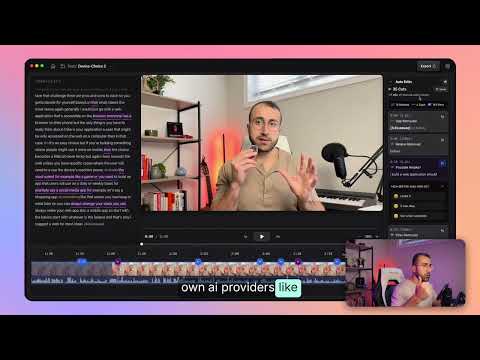
CueClip Demo

Give me 60 seconds to 10X your editing speed

Remove “Um” & “Uh” From Your Videos in Seconds
Get started
What is CueClip?CueClip is a Mac app that records your screen and automatically edits the mistakes out: filler words, retakes, and dead air.Record your screen, camera and micHow to record a display, a single window or a custom area on Mac, with your camera, microphone and system audio, and open it straight in the editor.Import a video you already recordedDrop any video file into CueClip to transcribe it and use auto-edit, captions and export on footage from your phone, camera or another recorder.Combine a screen recording and a camera recordingAlready recorded your screen and your camera as two separate files? Drop both into CueClip and it syncs them by sound and puts the camera over the screen.
Auto-edit
Auto Edit: clean a video in one passAuto Edit removes filler words, retakes and long pauses in one pass, and shows every cut so you can review before you export.Remove filler words (um, uh, like)Detect and cut um, uh and other filler words from a recording in seconds, and review each cut before you export.Shorten gaps and dead airTrim long pauses between sentences. Pick Tighter, Normal or Looser, or type your own pause lengths.Remove retakes automaticallyWhen you say the same line more than once, CueClip finds the repeats and keeps the best take. Review the choices before you export.Retake cue words: mark bad takes out loudSay “retake” or “one more time” when you mess up, and CueClip splits your transcript into numbered takes so you can keep the one you want.
Edit by hand
Edit your video by editing the transcriptSelect words in the transcript and delete them to cut the video. Search, split and undo like a text document.Right-click to mute, speed up, split or deleteRight-click any block on the timeline to mute it, change its speed from 1.05× to 1.5×, delete it, or split at the playhead.Fix names and terms with the Transcript DictionaryTeach CueClip how to spell your name, brand and jargon so the transcript and captions get them right every time.
Captions, zoom & sound
Add captionsGenerate captions from your transcript, style them, and burn them into the export. Or export a separate .srt or .vtt file.Auto-zoom and manual zoomsApply zooms that follow your cursor and clicks, then fine-tune each zoom on the timeline at 1.25×, 1.5× or 2×.Remove background noise and enhance your voiceClean fan hum, room noise and car noise from your audio, and boost your voice, with the real before and after.Turn a long video into Shorts, Reels and TikToksFind the best moments with AI, or highlight them in the transcript, then reframe to 9:16 with captions and a camera layout.
Export & share
Export your videoExport an MP4 in 4K or 1080p, with file size shown before you export.Export XML to Final Cut, Premiere or DaVinci ResolveExport just your cuts as an .fcpxml file and finish the edit in Final Cut Pro, Premiere Pro or DaVinci Resolve with your original footage untouched.Export caption files (.srt and .vtt)Export your captions as a standalone .srt or .vtt file for YouTube, VLC, web players and other editors.Share a video with a linkCreate a private link that anyone can watch without an account. It works for 30 days, then the video is deleted automatically.