Add captions
Generate captions from your transcript, style them, and burn them into the export. Or export a separate .srt or .vtt file.
Turn captions on
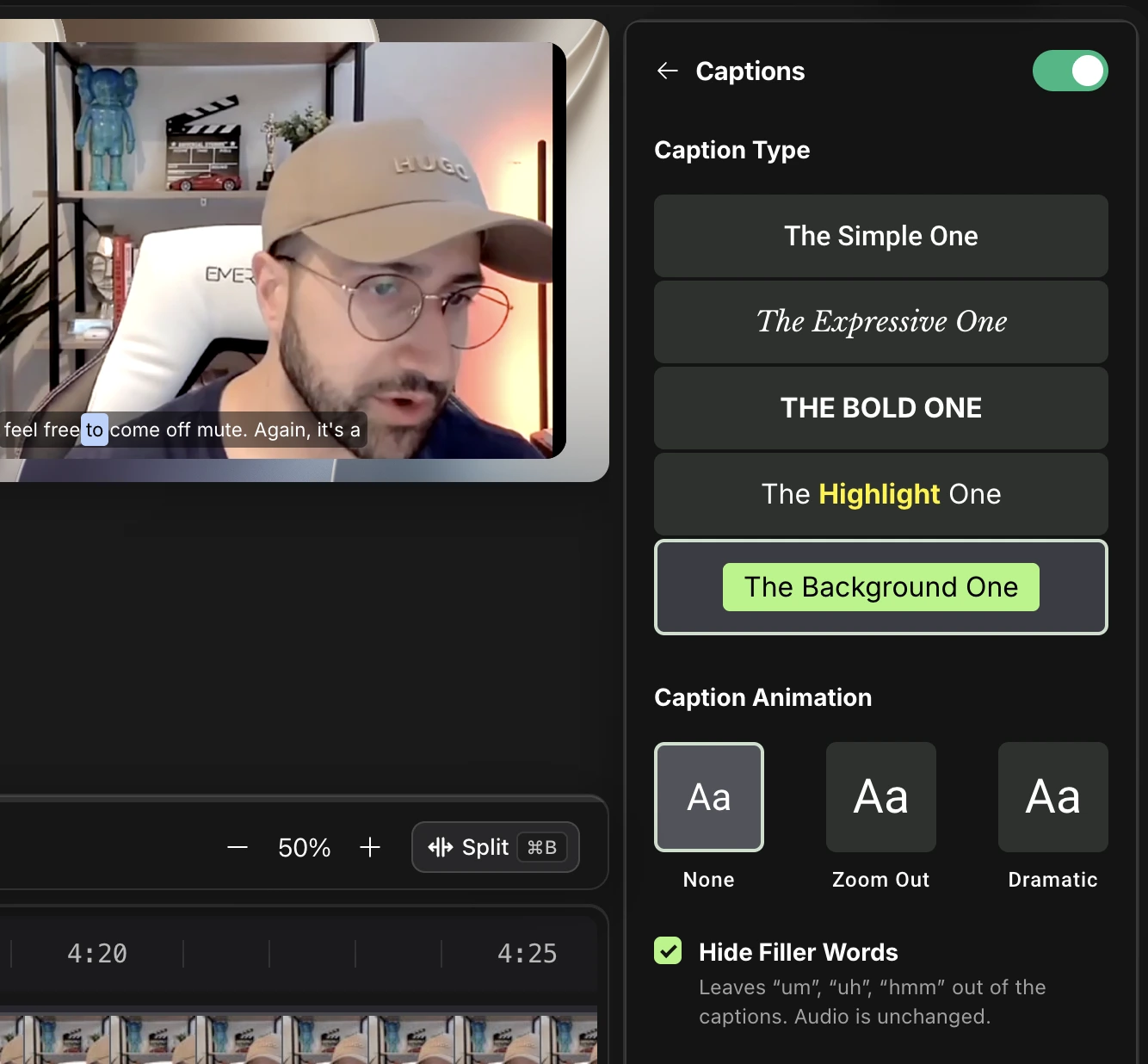
- Click Captions in the tools on the right.
- Switch the toggle at the top on, then pick a Caption Type: The Simple One, The Expressive One, The Bold One, The Highlight One or The Background One.
- Choose a Caption Animation: None, Zoom Out or Dramatic.
- Leave Hide Filler Words checked to keep “um” and “uh” out of the captions. The audio is unchanged.
- Preview them over your video. What you see is what gets exported.
Burned-in or separate file
- Burned in: captions are part of the exported video. Best for social clips.
- Separate file: export .srt or .vtt to upload alongside your video. See Export caption files.
Questions
Are captions accurate?
They come from the transcript. Fix a wrong word in the transcript or the Transcript Dictionary and the captions follow.