Export caption files (.srt and .vtt)
Export your captions as a standalone .srt or .vtt file for YouTube, VLC, web players and other editors.
Export
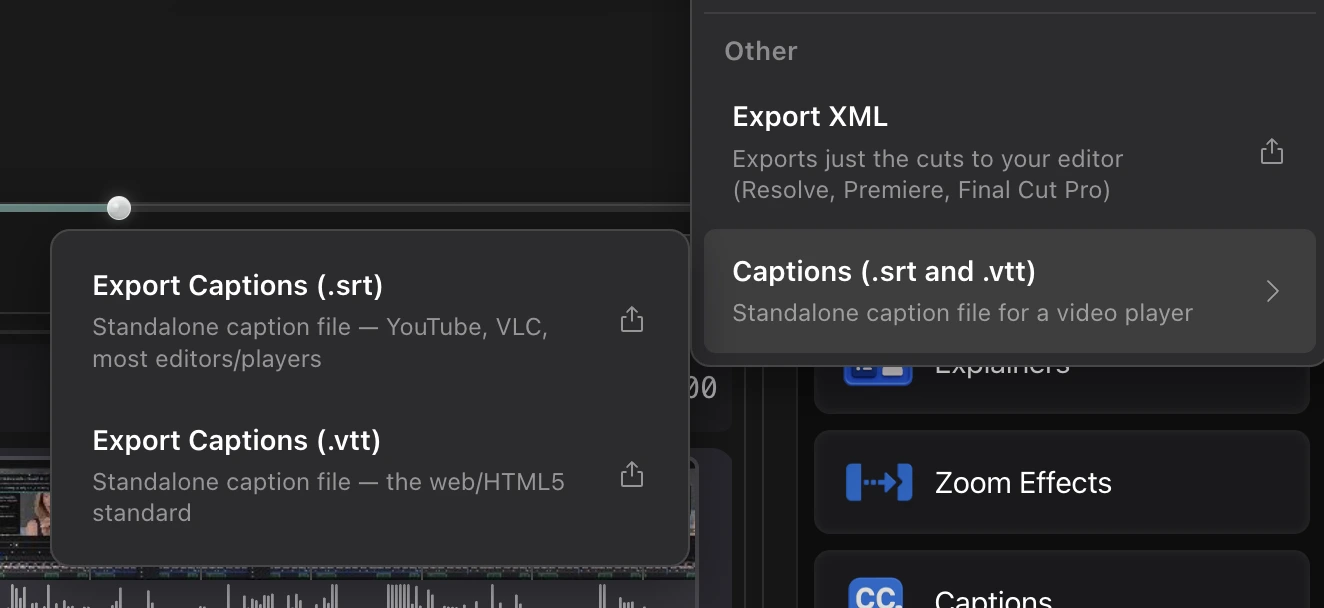
- Click Export at the top right.
- Under Other, open Captions (.srt and .vtt) and choose a format.
- Save the file.
| Format | Use it for |
|---|---|
| .srt | YouTube, VLC, and most editors and players |
| .vtt | The web and HTML5 video standard |
Questions
How do I upload captions to YouTube?
Export an .srt, then in YouTube Studio open the video's Subtitles tab and upload the file.